At SafetyNet, we care about one thing above all else: helping teams use AI to improve software quality without losing trust in the process. Playwright 1.59 is important because it adds features that fit AI-driven workflows very well, especially when you need more visibility, faster debugging, and clearer review artifacts.
This release is not about Playwright becoming an AI product. It is about Playwright becoming a better foundation for teams that use AI in testing, triage, and browser automation. That distinction matters, because the value here comes from stronger observability and better human review, not from pretending the framework itself explains what happened.
Screencast and trace serve different jobs
One of the most interesting additions is page.screencast(), which gives teams a visual recording layer with action annotations, overlays, and frame capture. From a SafetyNet perspective, this is useful because AI agents can now leave behind richer review material than screenshots alone, making it easier for a human to inspect what happened during a run.
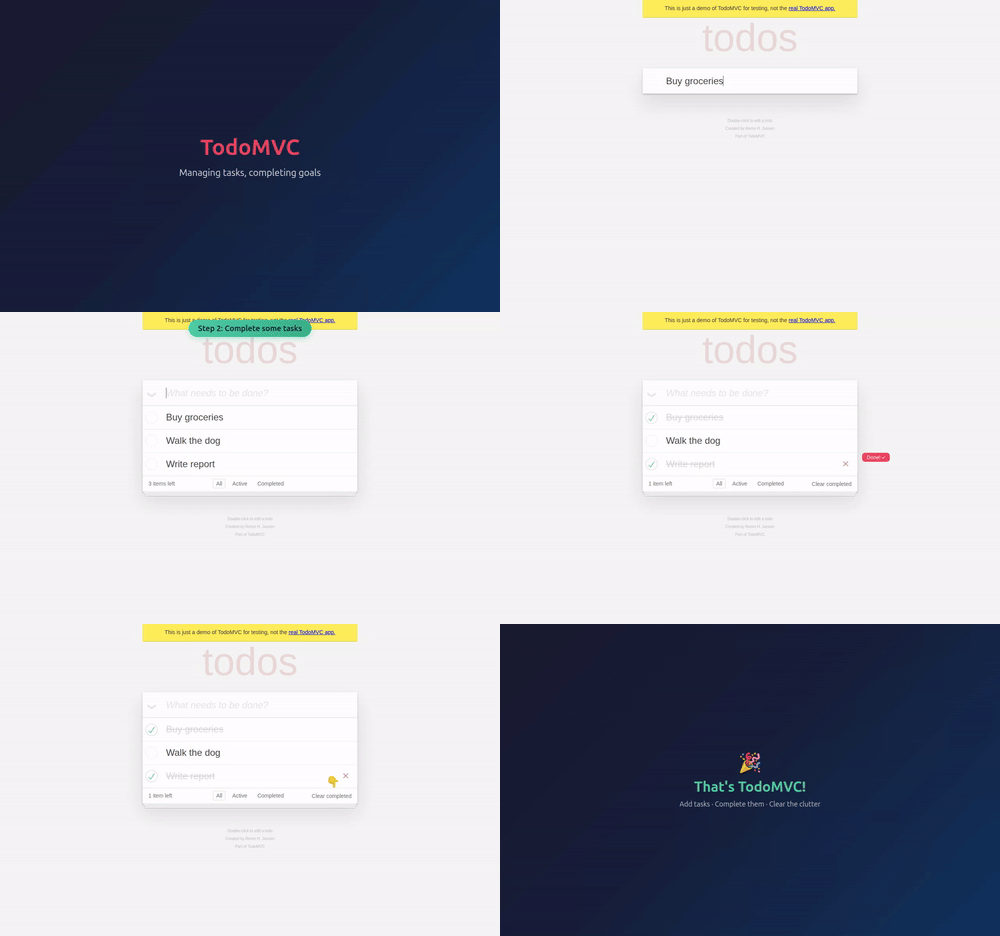
But it is important to separate screencast from trace. Trace is still the structured debugging layer in Playwright, with action steps, snapshots, logs, and source context, while screencast is the visual layer that helps you review the run more intuitively. In other words, trace explains the execution path, and screencast shows it.
That distinction matters for senior engineering teams. A screencast does not guarantee determinism, and it does not replace assertions, traces, or good test design. What it does do is improve observability and reviewability, which is exactly what AI-assisted workflows need when humans still own the quality decision.
Practical AI use cases
For AI teams, the best use cases are the ones that reduce ambiguity. An AI agent can use Playwright to run a browser flow, record a screencast for review, and attach trace data when something fails. That gives teams a much clearer path from “the agent ran the test” to “we understand what it did and why the result matters.”
This is especially useful for:
- Reproducing flaky failures with both visual and structured evidence.
- Reviewing long browser journeys like sign-up, checkout, or admin flows.
- Creating handoff material for developers, QA, or product reviewers.
- Letting AI agents collect context before asking for human intervention.
For SafetyNet, this is the kind of workflow that makes AI useful in production-quality testing. The agent handles repetition and evidence collection, while the human focuses on judgment, prioritization, and exceptions.
Browser sharing and collaboration
browser.bind() is another strong addition because it lets a browser session be shared across multiple clients. That makes it much easier for a team to observe the same live session from different tools, which is valuable when an AI agent is driving the browser and a human needs to inspect, validate, or take over.
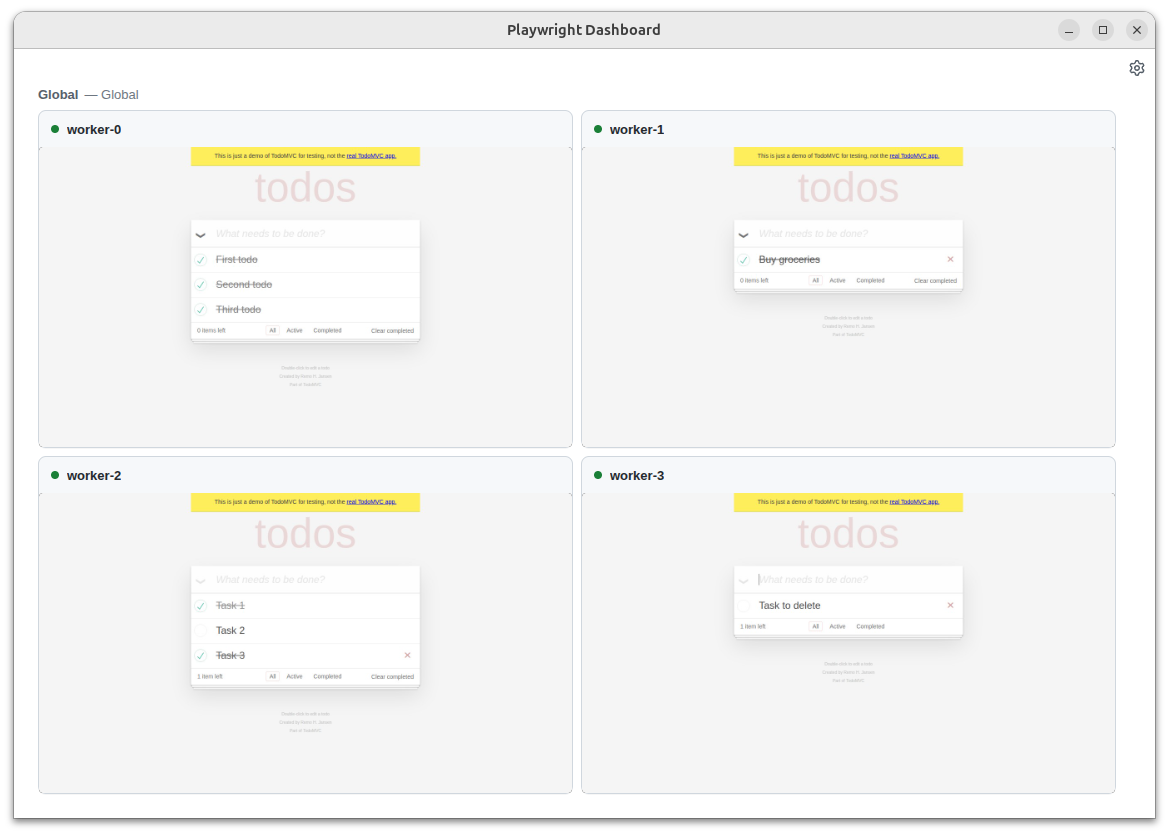
This does not mean “full agent control” in the abstract. It means better interoperability, better collaboration, and fewer dead-end debugging sessions. For teams trying to operationalize AI in testing, that is a real step forward.
CLI tooling for inspection
Playwright 1.59 also improves the command-line debugging and trace-inspection story. The useful part here is not a claim that the CLI replaces DevTools, but that it gives agents and engineers another way to inspect and analyze runs without always opening a UI.
That matters when AI is part of the loop, because many automated workflows run in CI or headless environments. Being able to inspect traces and browser state from the CLI makes it easier to fit Playwright into automated review pipelines, failure triage, and agent-assisted debugging.
Human-quality features still matter
The release also includes improvements that matter to everyday test authors: page.ariaSnapshot() for accessibility snapshots, locator.normalize() for better locator practices, page.pickLocator() for interactive selector discovery, and await using for automatic cleanup. These are especially important because AI-assisted automation still depends on good test foundations.
At SafetyNet, we see that as the real story. AI works best when the framework encourages stable locators, clean teardown, strong accessibility approach, and useful tracing. Playwright 1.59 strengthens all of those areas without pretending that the tool itself can replace engineering discipline.
Why this release matters
Playwright 1.59 is important because it improves the evidence chain around automated agent initiated testing. It gives teams more visual context, better structured debugging, and more flexible browser collaboration, all of which align well with AI-driven workflows. That makes it easier to trust the output of both humans and agents.
From the SafetyNet perspective, that is the point: AI should help teams move faster, but quality still needs clarity, reviewability, and control. Playwright 1.59 is a meaningful step in that direction.
Check the official Playwright 1.59 release notes for the full list of changes and technical documentation. The gif and images used in this blog are taken from there.